



Fortuzino App
We developed the Fortuzino app so our clients can enjoy playing from their phones no matter where they are. In our mobile casino, you get the full functionality of our website, so you can easily use bonuses, access our game collection and manage your account.



What You Can Do in the Fortu Zino App
Our app is a progressive web application that works on any device and operating system. Its functionality mirrors the Fortuzino Casino website, so you can:
- Play any of the games from our library
- Activate bonuses and take part in tournaments
- Manage your account settings
- Have access to your list of favorites
- Make deposits and withdrawals
- Contact our support team via live chat
- Pass the verification process
The application adapts to any screen size and has the same interface as the Fortuzino website. Newcomers and our regular players will easily navigate it from the start.
Benefits and Features of the Fortuzino App
The Fortuzina PWA has the same security and encryption measures as the site. You can even add an additional safety level on your mobile by setting up a password, Face ID or fingerprint access to the app. Users don’t need to download new versions from anywhere, as it runs automatic updates in the background.
The mobile version of Fortu Zino Casino is lightweight, so it almost doesn’t take up storage space. Its main advantage is caching. Thanks to this technology, it works smoothly even on slow internet. The Fortuzino Casino app loads games faster and handles connection drops much better than a website.
Key Differences Between the PWA Experience and Desktop Play
No matter what you choose – to install the Fortu Zino app and play from your mobile or continue to enjoy the desktop version – your gaming experience at our online casino will always be fun. Here are some of the key differences you might notice if you try both options.
| Aspect | Mobile app | Desktop |
| Access | One tap on the icon on the home screen. | Opens through the browser. |
| Interface | Compact and optimized for smaller screens. When you play, you see only the game and a menu bar at the top of the page. | Large view, easy to navigate. There’s no full-screen version for games, so you always see it in a window in the middle of the website. |
| Game sessions | Good for quick online slots or instant wins. You can play anywhere. | Great for long table game sessions and live stream tournaments. |
| Notifications | You can enable push notifications and see them on your home and lock screens. | You can also enable notifications, but you will receive them as emails that you can check in the separate profile section. |
| Battery use | It can drain your battery faster if you play for long, especially with high-quality live streams. | No noticeable effect on the battery (for laptops). |
| Storage space | A lightweight application that doesn’t take up much of your storage space. | Uses no space on your computer as you play through the browser. |
Mobile Application for iOS
iOS users can easily install the Fortuzino app through Safari. You don’t need to download it from the App Store; just create a shortcut from our website to your home screen. It’s really simple:
- First of all, you should open Fortu Zino Casino in your Safari browser.
- Then, you need to click the share button at the bottom of the screen.
- If you scroll down the menu, you’ll see “Add to home screen.”
- Tap “Add” and complete the shortcut.
That’s it, now you can quickly access Fortuzino Casino through a brand icon on the home screen of your iPhone or iPad. 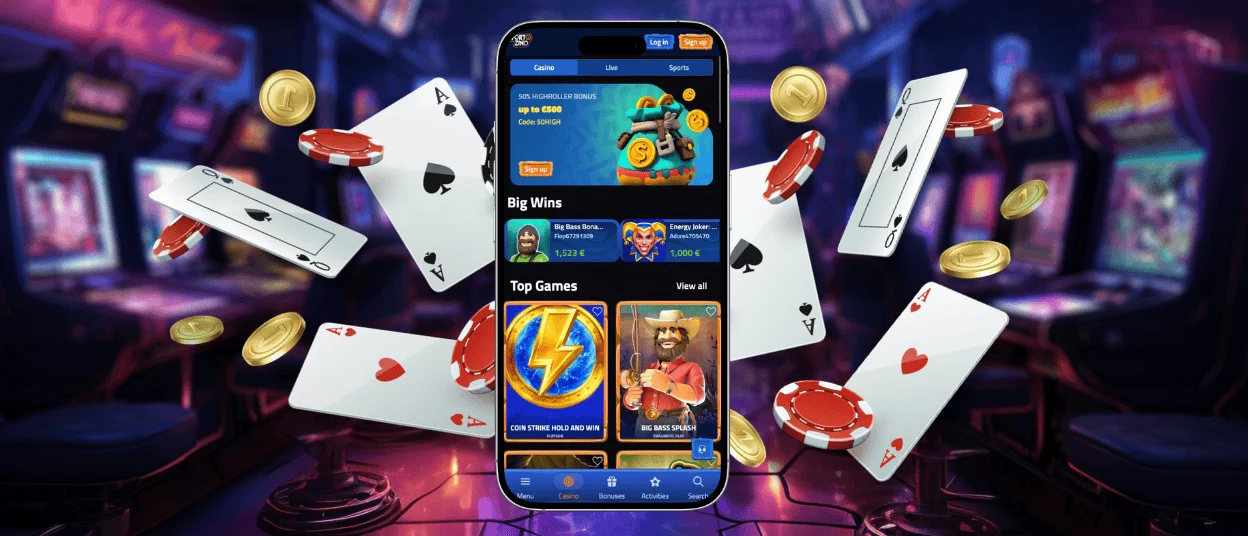
Fortuzino App for Android
As we mentioned, our PWA also runs on Androids without a hitch. Like with iOS, there’s no application in Google Play, so do not download any suspicious files. Users can install the Fortuzino app by opening the website in the mobile browser. On Androids, you need to click on the three dots in the top right corner of the webpage and also scroll down till you find “Add to home screen”.
Our platform is optimized for every device and runs smoothly in any modern browser, so if you don’t want to install the app, you can just continue playing from the website.
Play Fortu Zino Casino on Mac or Windows
If you’re not a fan of smaller screens and prefer to play from a PC or a laptop, we also have a desktop version of the app. It works perfectly on Windows and macOS, and as with mobile, you can install it right from the Fortuzino website. It’s even easier to do from the desktop, as you can just tap the download icon in the search bar. A shortcut will save time for opening it from the browser.
How to Install the Fortuzino App on Any Device
We want to provide our users with multiple options rather than limiting them to a single device. That’s why we decided to create a PWA instead of a native application. It is compatible with any device and operating system, providing stable work and uninterrupted gameplay. The Fortuzino platform and application were created using secure software development practices. We protect user data with TLS 1.3 and 256-bit AES encryption, and conduct regular security audits.
Users can follow a few simple steps that we described to install Fortuzino Casino from any browser on Android, iOS, Windows and macOS. So choose what is most comfortable for you, or switch between devices as you like.

FAQ
Can I log in to the Fortu Zino app with the same account I use on PC?
You can and you should. The key rule of our platform is that each player has only one account at Fortuzino Casino, so you need to log in to the app with the one you already have. However, before you sign in on the new device, make sure you log out of where you played before. If you try this while your account is still active in another browser, the action can be flagged as suspicious behavior and you will need to pass the verification or wait for up to 15 minutes to try to log in again.
Are bonuses and tournaments available on mobile?
All our bonus offers and promotions are available from any device you use. The Fortuzino app is optimized to run on any platform and mirrors the website’s functionality.
Is my balance synchronized in real time across devices?
Yes, your account data synchronizes across all devices when you log in to your profile. Players can see their actual balance, manage settings, make deposits and use all the functions of our platform and be sure the information is the same everywhere.


